
AC Events
AC Events
AC Events
Program #: 1768
Module: Utilities
Overview
Use AC Events to define access control events for logging. The events in this program appear in the AC Log.
To access this program, select AC Events (program #1768) from the main menu of SBN.
The AC Events Window
The following graphic shows AC Events as the program opens.
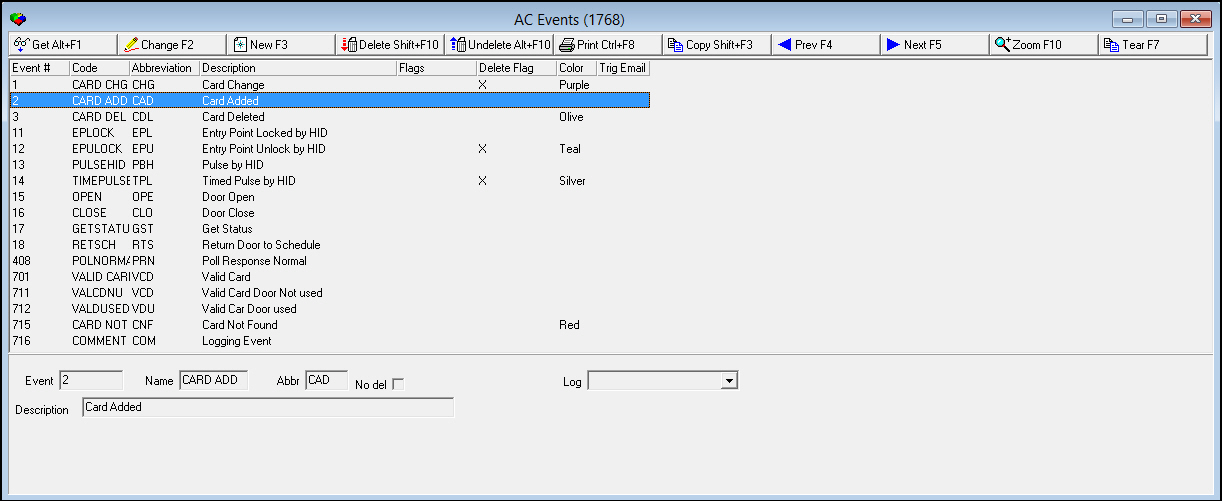
Field/Column Descriptions
The following table describes the fields and columns used in AC Events.
Field/Column |
Description |
Upper Pane - Columns |
|
Event |
System-assigned event number. |
Code |
Code that appears in the AC Log under the Event column. |
Abbr |
Abbreviation of the code that appears in the AC Log. |
Description |
Description entered for the event. |
Flags |
An X in this column correspond to flags selected for the event. |
Delete Flag |
This column contains an X when you select the No del check box. |
Color |
Color you select for the event in the Log drop-down menu. |
Trig Email |
|
Lower Pane - Fields |
|
Event |
System-assigned event number. |
Name |
Code that appears in the AC Log under the Event column. |
Abbr |
Abbreviation of the code that appears in the AC Log. |
No del |
No del check box. |
Log |
Defines the color used for the event in the AC Log. |
Description |
Description entered for the event. |
Using Common Functions
See the reference document Common Functions in SBN for more information.
Zooming into the Sublevel
AC Events contains a sublevel in which you may attach dealer definitions and multiple translations to the events. Those events then appear according to the user's dealer profile and language.
The Translation Tab
The following graphic shows the Translation tab. The tab displays translations previously attached to the selected AC Event.
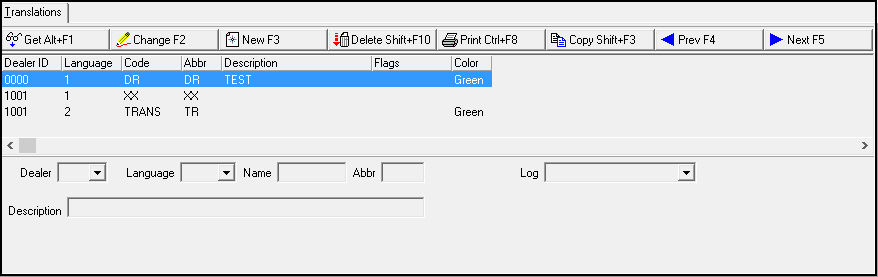
Field/Column Descriptions
The following table describes the fields and columns used in the Translation tab.
Field/Column |
Description |
Agency |
|
Dealer ID |
Dealer ID associated with the entry. |
Language |
Language of the associated translation. |
Code |
Code that appears in the AC Log under the Events column. |
Abbr |
Abbreviation for the code that appears in the AC Log. |
Description |
Text description, in the associated language, of the selected AC Event. |
Flags |
X's in this column correspond to flags selected for the event. |
Color |
Color you select for the translation in the Log drop-down menu. |
Dealer |
Dealer ID you associate with the entry from the drop-down menu. |
Language |
Language of the associated translation from the drop-down menu. |
Name |
Code that appears in the AC Log. |
Abbr |
Abbreviation for the code that appears in the AC Log. |
Log |
Defines the color used for the translation in the AC Log. |
Description |
Text description entered for the event. |
Button Functions
The following table displays the buttons, describes the shortcut keys, actions and functionality.
Button |
Name |
Shortcut Key |
Action |
Description |
|
Get Record |
alt+f1 |
1768/ 1 |
View details of selected record. |
|
Change Record |
f2 |
1768/ 2 |
Change details of selected record. |
|
New Record |
f3 |
1768/ 3 |
Create new record. |
|
Delete Record |
shift+f10 |
1768/ 4 |
Delete selected record. |
|
Undelete |
alt+f10 |
1768/ 5 |
Restore deleted record. |
|
Print Selected Records |
ctrl+f8 |
1768/ 6 |
Print selected records. |
|
Copy Current Record |
shift+f3 |
Copy current record. |
|
|
Previous Record |
f4 |
Go to previous record. |
|
|
Next Record |
f5 |
Go to next record. |
|
|
Zoom in/out of sublevel |
f10 |
Zoom into the sublevel to enter Translation information. |
|
|
Tear Away Selected Tab |
f7 |
View selected tab in a separate window. |
|
|
Exit without saving |
esc |
Exit without saving changes to selected record. |
|
|
Save Existing Record |
enter |
Save changes to selected record. |













Modifications and Updates to AC Events
The following table lists modifications and updates to the AC Events document.
Mod Number |
Date |
Description |
n/a |
8/27/14 |
Images updated. |