
Update Contract Account Agings
Update Contract Account Agings
Update Contract/Account Agings
Module: Accounting
Overview
Use Update Contract/Account Agings (program #576) to update the status of invoices. When you run the aging process, SBN
Places groups of invoices in the appropriate aging level
Calculates results for each account number and for each contract number
You can view the current aging status for each account in
Invoice Status — in Contract Master
Collections — in Contract Master
Service Aging — in Data Entry
To access this program, select Update Contract/Account Agings (program #576) from the main menu of SBN.
Options
Use the following options to define how this program handles aging:
Option bl067 — use this option to define the number a days an invoice may be past due before it goes to collections
Option bl078 — when this option is on, SBN runs the aging process each time an invoice batch is created
Option schpayag — when this option is on, SBN includes special payment schedules in the aging process
Note: If this option is on, you must define option bl002 as due_date.
The Update Contract/Account Agings Window
The following graphic shows Update Contract/Account Aging as the program opens.
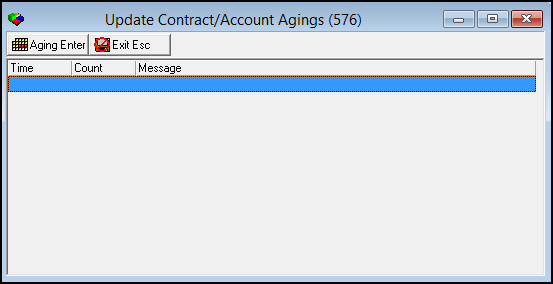
Column Descriptions
The following table describes the columns in this window.
Column |
Description |
Time |
Time this line was aged. |
Count |
Number of items of this type included in aging. |
Message |
Description of the item type on this line. |
Running the Aging Process
Use the following steps to run the aging process:
1. From Update Contact/Account Agings (program #576), choose Aging.
‰ The window displays the actions taken by SBN during the aging process.
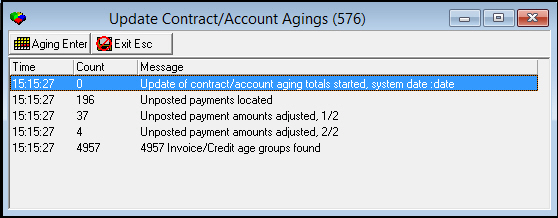
2. Choose Exit to close the window.
Modifications and Updates to Update Contract Account Agings
The following table lists modifications and updates to the Update Contract Account Agings document.
Mod Number |
Date |
Description |
n/a |
8/06/14 |
Images updated. |