
FE Log
FE Log
FE Log
Module: Account Management
Overview
Use the FE Log tab to display the history of commands sent in External FE (program #1598) for the selected CID.
Navigating to the FE Log
Use the following steps to access the FE Log:
1. From the main SBN toolbar, select Menu.
2. From the drop-down menu, select Go To.
3. In the Go To Program dialog box, type in "559" and press Enter.
w Data Entry Master and Basics opens.
4. Choose the FE Log tab in the lower pane of Data Entry.
The FE Log Tab
The following graphic shows the FE Log tab with information displayed.
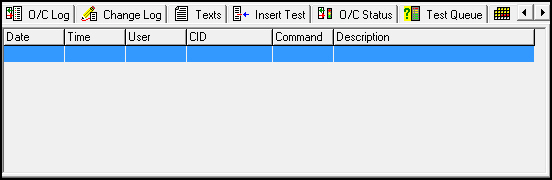
Column Descriptions
The following table describes the columns in the FE Log tab.
Column |
Description |
Date |
Date a user sent a command. |
Time |
Time a user sent a command. |
User |
ID of the user who sent the command. |
CID |
CID affected by the command. |
Command |
Command a user sent. |
Description |
Description of the command. |
Modifications and Updates to the FE Log
The following table lists modifications and updates to the FE Log document.
Mod Number |
Date |
Description |
08.03.08357 |
11/15/11 |
Document created |
n/a |
07/18/14 |
Images updated. |