
alarm-history
alarm-history
Alarm history
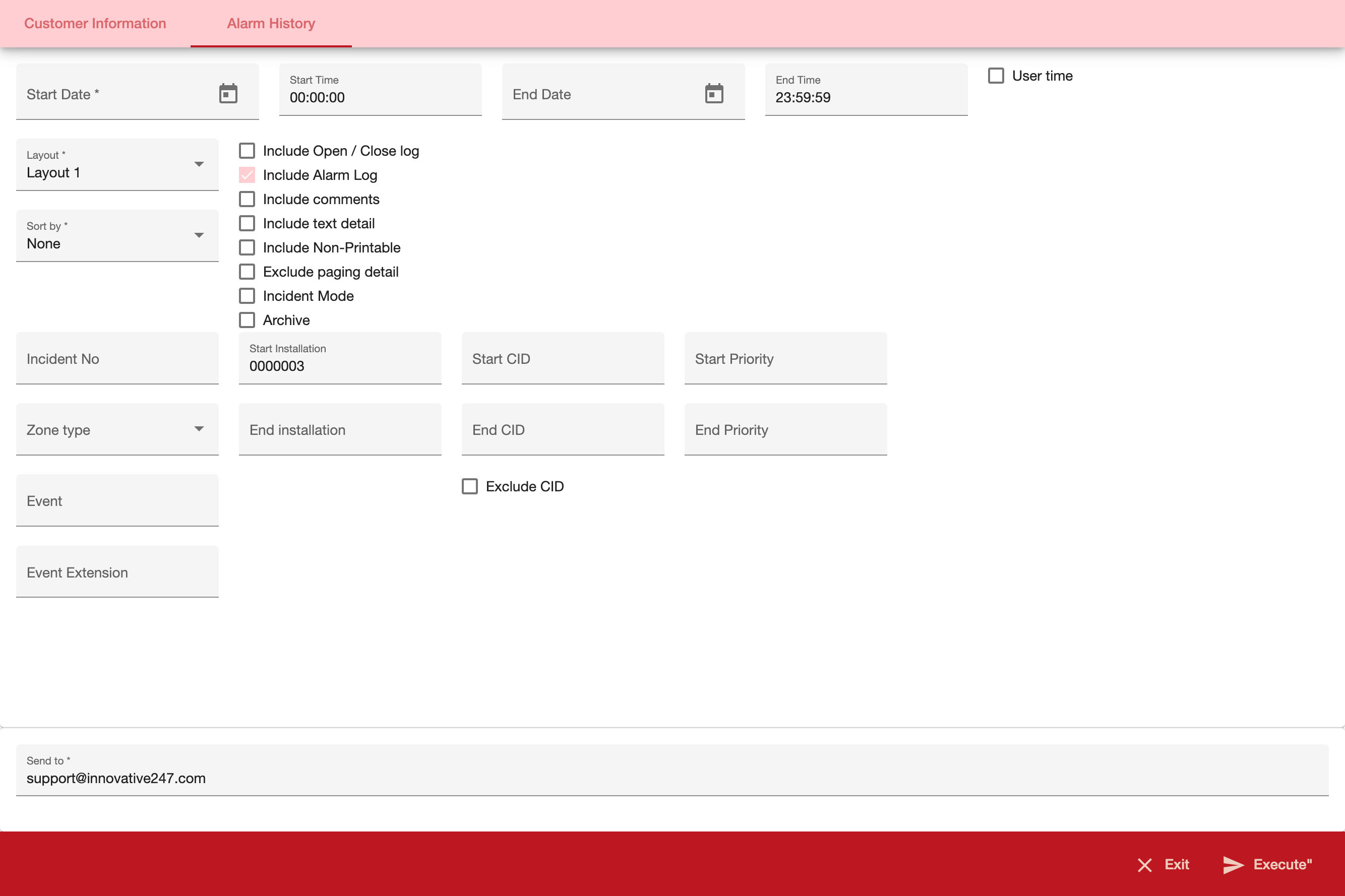
The Alarm Log History report provides data from the Alarm Log and/or the Open / Close Log.
=== "Desktop"
=== "Mobile"
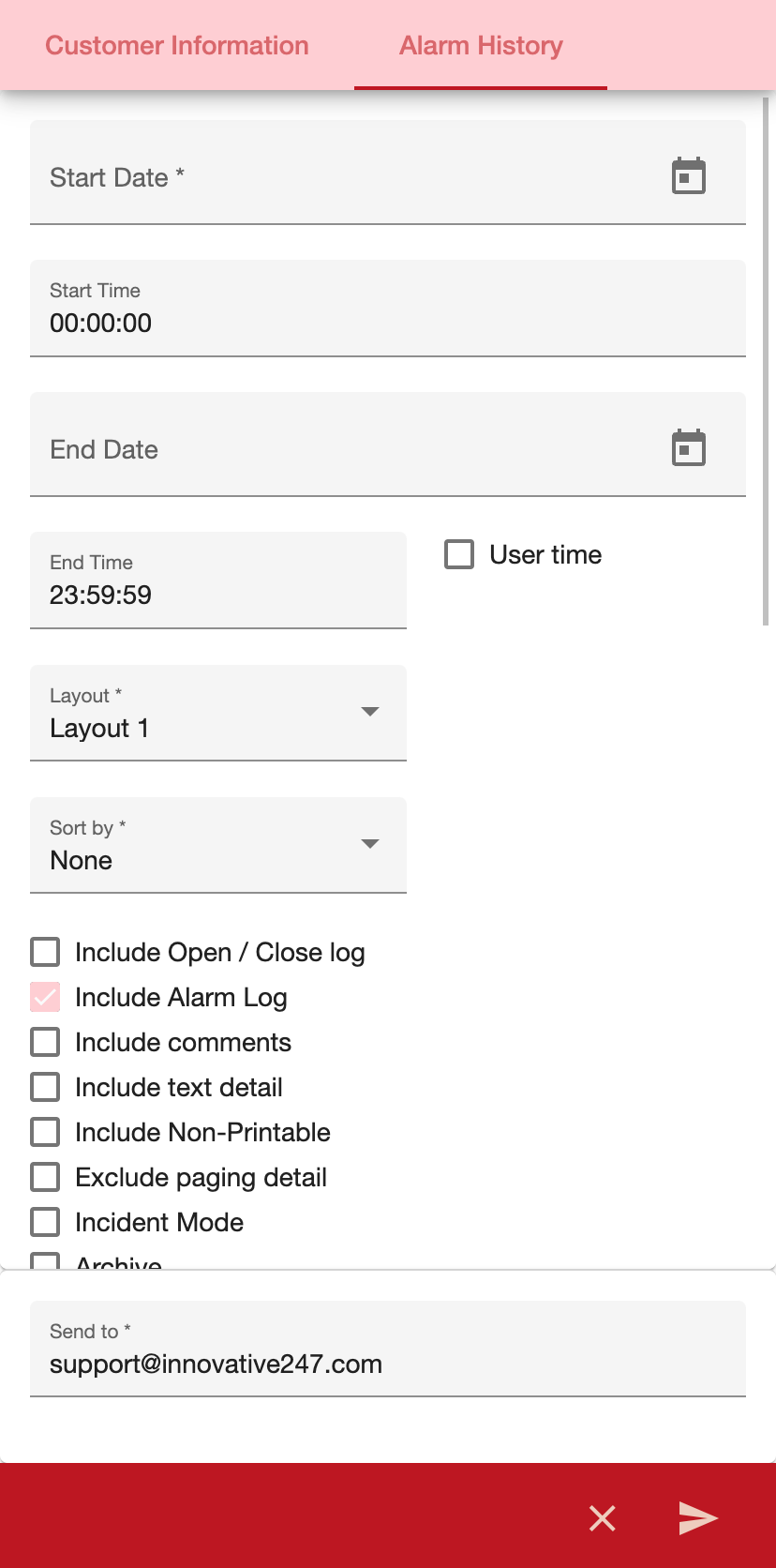
| Field | Description | | ------------------------ | ------------------------------------------------------------------------------------------------------------------------------------------------------------------------------------------------------------------------------------------------------------------- | | Start Date | You must select a date or a range of dates to limit the report to log entries that occurred during that range. Select the beginning date of the range. | | Start Time | You may select a range of time to limit the report to log entries that occurred during that range. Select the beginning time of the range. | | End Date | You may select a range of dates to limit the report to log entries that occurred during that range. Select the ending date of the range. | | End Time | You may select a range of time to limit the report to log entries that occurred during that range. Select the ending time of the range. | | User Time | Whether to use the users timezone when running the report | | Layout | Type the number of the layout you want to use. The default layout is 1. | | Incident No | You may type a specific incident to limit the report to that incident or use the % wildcard. If you specify an incident, SBN ignores all other parameters. | | Sort by | You must select a sorting parameter for the report. | | Start Installation | You may type a range of installation numbers to limit the report to installations within that range. Type the beginning installation number of the range. | | End Installation | You may type a range of installation numbers to limit the report to installations within that range. Type the ending installation number of the range. | | Start CID | You may type a range of CID numbers to limit the report to CIDs within that range. Type the beginning CID number of the range. If an installation matches with more than one CID, the report includes only the first CID. | | End CID | You may type a range of CID numbers to limit the report to CIDs within that range. Type the ending CID number of the range. If an installation matches with more than one CID, the report includes only the first CID. | | Exclude CID | Enter a check mark in this box to exclude the CID number from the report. | | Start Priority | You may type a range of priorities to limit the report to installations that have log entries with priorities within that range. The report then includes all log entries for these installations in the selected period. Type the beginning priority of the range. | | End Priority | You may type a range of priorities to limit the report to installations that have log entries with priorities within that range. The report then includes all log entries for these installations in the selected period. Type the ending priority of the range. | | Zone Type | You may either select a zone type to include in the report or use the % wildcard to include all zone types. | | Event | You may either select an event type to include in the report or use the % wildcard to include all event types. | | Event Extensions | You may select an event extension to limit the report to log entries that contain that extension. | | Include Open / Close Log | Enter a check mark in this box to include Open / Close data in the report. | | Include Alarm Log | Enter a check mark in this box to include Alarm Log data in the report. | | Include Comment | Enter a check mark in this box to include Alarm Log comments in the report. This comment only appears on layouts 1,2,3 and 7. | | Include Text Detail | Enter a check mark in this box to include the text description of the event or comment in the report. | | Include ’Non-printable’ | Enter a check mark in this box to include those items flagged as non-printable by the P command in monitoring, and zones that do not have the print flag set. | | Exclude Paging Detail | Enter a check mark in this box to exclude the text associated with a monitoring page from the report. | | Incident Mode | Enter a check mark in this box to include the incident mode in the report. | | Archive | Enter a check mark in this box to include archived Alarm Log data in the report. |