
Cancel Tracking Status
Cancel Tracking Status
Cancel Tracking Status
Module: System Administration
Overview
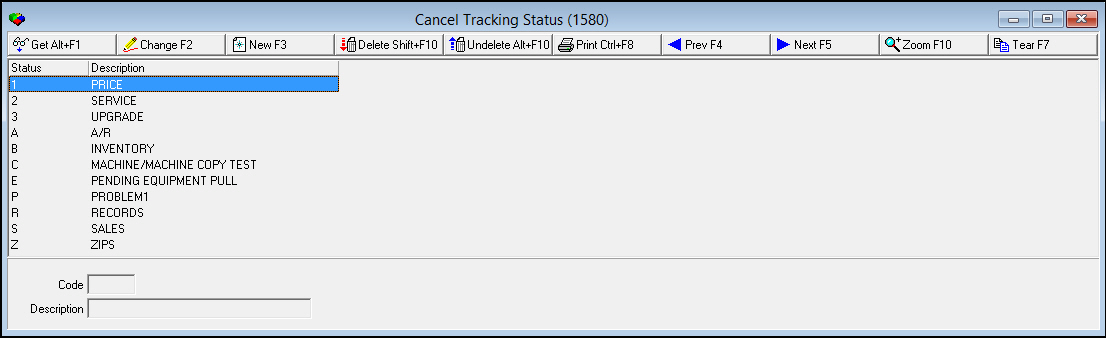
Use Cancel Tracking Status (program #1580) to define the tracking status for cancelled accounts. A menu of tracking statuses appears in the Cancel Contract window of Contract Master (program #548).
To access this program, choose Cancel Tracking Status (program #1580) from the main menu of SBN.
The Cancel Tracking Status Window
The following graphic shows Cancel Tracking Status as the program opens. The window displays previously defined tracking statuses.
Field/Column Descriptions
The following table describes the fields and columns used in Cancel Tracking Status.
|
Field/Column |
Description |
|
Code |
Identifies the selected tracking status. |
|
Description |
Text description of the selected tracking status. |
Using Common Functions
See the reference document Common Functions in SBN for more information.
Zooming into the Sublevel
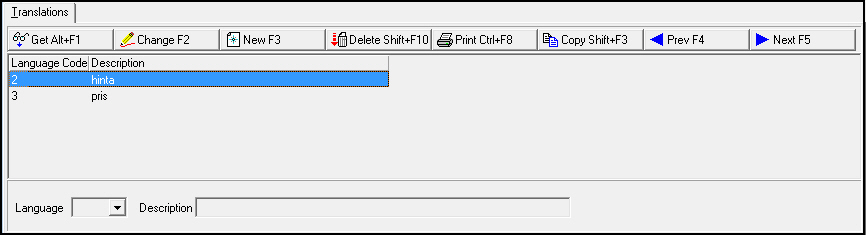
Use the sublevel tab, Translations, to attach translations to cancel tracking status. Cancel Tracking Statuses then appear in SBN in the user’s language.
Note: Actions 1580/10-16 control access to the Translations tab and functions.
The Translations Tab
The Translations tab appears below the main window and displays previously defined translations for the selected cancel tracking status.
Field/Column Descriptions
The following table describes the fields and columns used in the Translations tab.
|
Field/Column |
Description |
|
Language Code |
Code that identifies the language of the associated translation. O Contact IBS before using codes 11-17. |
|
Description |
Text description, in the associated language, of the selected cancel tracking status. |
Button Functions
The following table displays the buttons, describes the shortcut keys, actions, and functionality.
|
Button |
Name |
Shortcut Key |
Action |
Description |
|
|
Get |
ALT+F1 |
1582/ 1 |
Get record. |
|
|
Change |
F2 |
1582/ 2 |
Change selected record. |
|
|
New |
F3 |
1582/ 3 |
Create new record. |
|
|
Delete |
SHIFT+F10 |
1582/ 4 |
Delete selected record. |
|
|
Undelete |
ALT+F10 |
1582/ 5 |
Restore deleted record. |
|
|
|
CTRL+F8 |
1582/ 6 |
Print selected records. |
|
|
Zoom |
F10 |
1582/ 7 |
Zoom in/out of sublevel. |
|
|
Previous |
F4 |
1582/ 999 |
Select last record. |
|
|
Next |
F5 |
1582/ 999 |
Select next record. |









Modifications and Updates to Cancel Tracking Status
The following table lists modifications and updates to the Cancel Tracking Status document.
|
Mod Number |
Date |
Description |
|
n/a |
8/14/14 |
Images updated. |
F1 Help
| Delphi Forms | blctrcancelstatusform |
| Program Numbers | 1580 |