
Interactive SQL with Refresh
Interactive SQL with Refresh
Interactive SQL with Refresh
Program #: 1899
Module: System Administration
Overview
Use Interactive SQL with Refresh (program #1899) to run queries that were created and associated with a specific action in Interactive SQL (program #550). This program allows users to run queries without seeing or being able to change the actual code behind the query.
Actions 1899/1-6 control access to this program. SBN uses actions 1899/7-56 to index action-controlled queries. In Actions (program #1502) include or exclude these actions from a user profile to control user access to available queries.
Navigating to Interactive SQL
Use the following steps to navigate to Interactive SQL with Refresh:
1. From the main SBN toolbar, select Menu.
2. From the drop-down menu, select Go To.
3. In the Go To Program dialog box, type in "1899" and press Enter.
w The Interactive SQL with Refresh program opens.
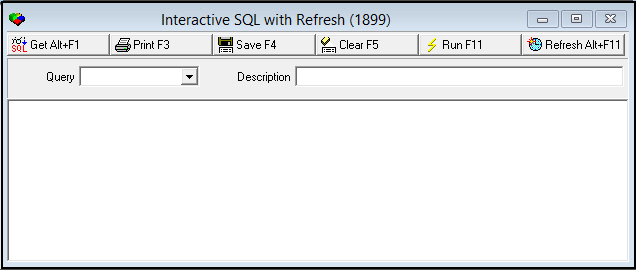
The Interactive SQL with Refresh Window
The Interactive SQL with Refresh window contains two panes:
The upper pane contains fields for selecting queries
The lower pane displays results of running a query
The following graphic shows Interactive SQL with Refresh as the program opens.
Field Descriptions
The following table describes the fields used in Interactive SQL.
Field |
Description |
Query |
Code that identifies a defined query. O The menu of queries displays only those queries associated with an action included in the your user profile. |
Description |
Text description of the selected query. |
Running an Action-Controlled Query
Use the following steps to run an action-controlled query:
1. From the Query menu, select the query you want to run.
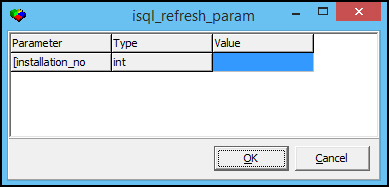
w When the original SQL query contains parameters in the [[parameter, type]] format, the Parameter dialog box appears to input parameters before running the query.
Note: Double brackets [[ ]] indicate parameter input. Single brackets [ ] indicate Sybase wildcard functionality.
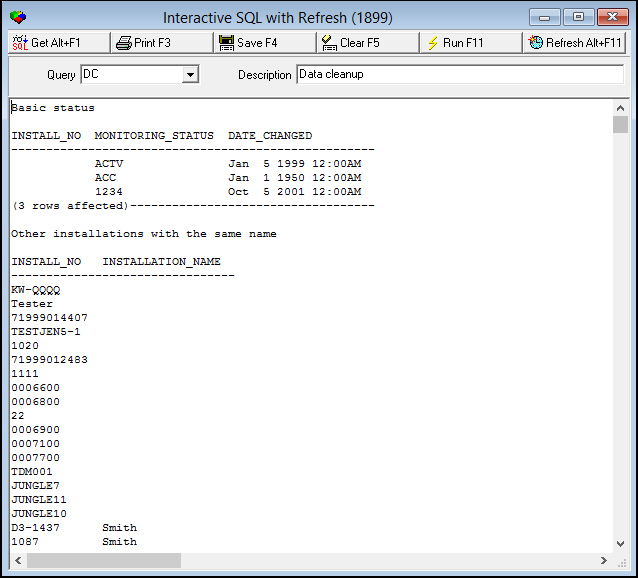
2. Choose Run Query.
w SBN displays the results of the query in the lower pane of the window.
3. If the results do not return the information you want, choose Clear Results.
4. Repeat steps 1-2 to select another query.
5. When the results display the information you want, you may choose either of the following functions:
l Save Results [F4]
a. Select the destination folder for the query results.
b. Choose Save
l Print Results
Restrict Users Access to Queries
This enhancement restricts users the ability to run particular queries in Program #1899 that contains information that their user login is restricted from accessing.
In Interactive SQL Program #550, select a query from the drop-down, then enter an action number in the Action Index box as displayed in the following image.
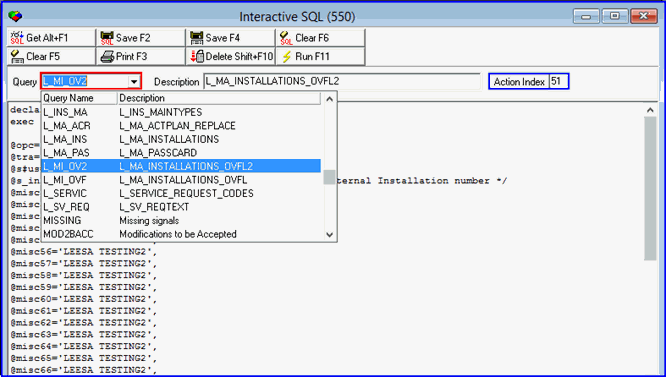
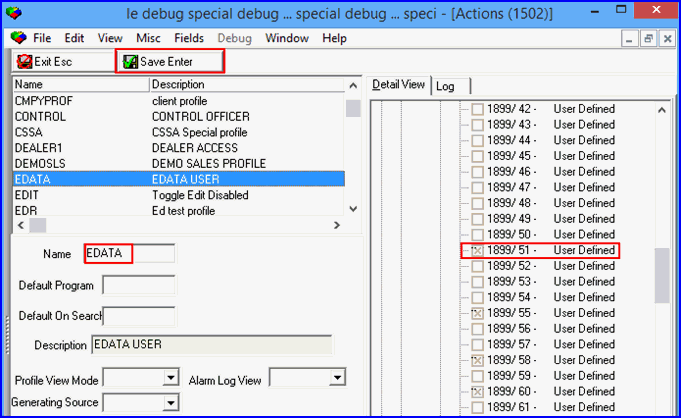
In Action Profile Program #1502, select a user profile and search for action #1899. Click the “Change� button and place a check on the action that matches the action number you entered in the Action Index box in Program #550.
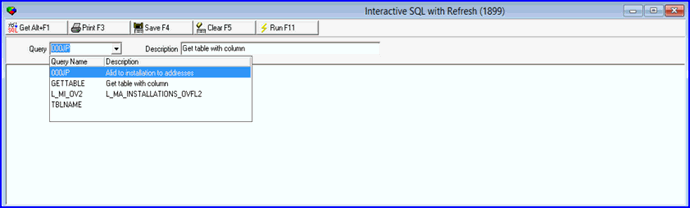
Have the assign user login and go to Program #1899, click the Query drop-down and the assigned query will display in the Query picklist.
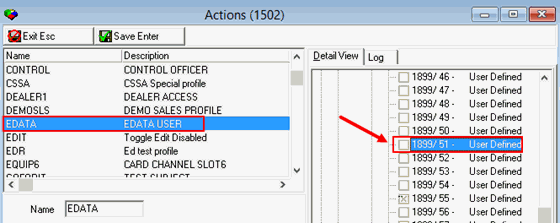
In Action Profile #1502, select the user and remove the check from the assigned action.
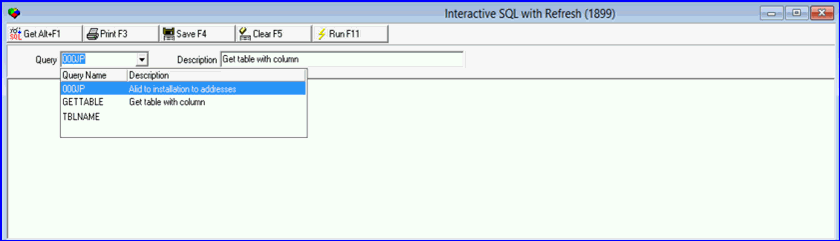
Have the user log out and log back in then go to Program #1899. When the user clicks the Query drop-down the query originally assigned the action number will no longer display in the Query picklist because the check was removed in Program #1502.
Setting the Refresh Interval
Choose Refresh Interval to select the refresh interval for this window.
Reloading a Query
You may reload a displayed query by choosing Get Query.
Button Functions
The following table displays the buttons, describes the shortcut keys, actions, and functionality.
Button |
Name |
Shortcut Key |
Action |
Description |
|
Get Query |
ALT+F1 |
1899/ 1 |
Retrieves query information. |
|
F3 |
1899/ 1 |
Print selected records. |
|
|
Save Results |
F4 |
1899/ 1 |
Saves the query results. |
|
Clear Results |
F5 |
1899/ 1 |
Clears the query results. |
|
Run Query |
F11 |
1899/ 1 |
Runs a query based upon retrieved information. |
|
Refresh Interval |
ALT+F11 |
1899/ 1 |
Sets the imer value for refreshing the query results. |
User Defined |
1899/ 7 - 1899/ 56 |
Placeholders for user-defined buttons. |






Modifications and Updates to Interactive SQL with Refresh
The following table lists modifications and updates to the Interactive SQL with Refresh document.
Mod Number |
Date |
Description |
n/a |
8/19/14 |
Images updated. |