
Payment Reasons
Payment Reasons
Payment Reasons
Module: System Administration
Overview
Use Payment Reasons (program #1521) to define payment reasons. A menu of payment reasons appears in the Add Payments window of Open Batches (program #1577).
To access this program, select Payment Reasons (program #1521) from the main menu of SBN.
The Payment Reasons Window
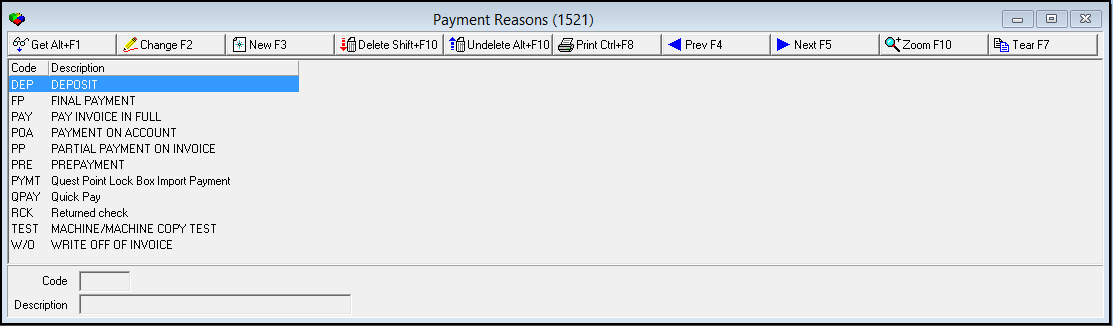
The following graphic shows Payment Reasons as the program opens. The upper pane displays previously defined payment reasons.
Field/Column Descriptions
The following table describes the fields and columns used in Payment Reasons.
|
Field/Column |
Description |
|
Code |
Abbreviation that identifies the selected payment reason. |
|
Description |
Text description of the selected payment reason. |
Using Common Functions
See the reference document Common Functions in SBN for more information.
Zooming into the Sublevel
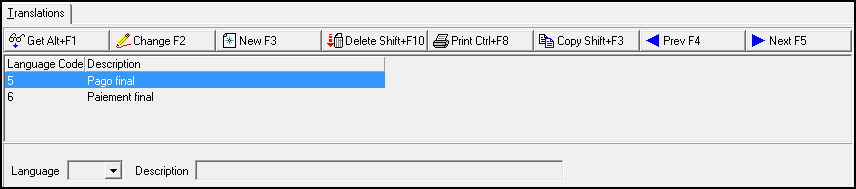
The sublevel of Payment Reasons contains the Translations tab - in which you attach translations to payment reasons. Payment Reasons then appear in SBN in the user’s language.
Note: Actions 1521/10-14 control access to the Translations tab and functions.
The Translations Tab
The following graphic shows the Translations tab. The tab displays previously defined translations.
Field/Column Descriptions
The following table describes the fields and columns used in the Translations tab.
|
Field/Column |
Description |
|
Language Code |
Code that identifies the language of the associated translation.
|
|
Description |
Text description, in the associated language, of the selected payment reason. |
Button Functions
The following table displays the buttons, describes the shortcut keys, actions, and functionality.
|
Button |
Name |
Shortcut Key |
Action |
Description |
|
|
Get |
ALT+F1 |
1521/ 1 |
Get record. |
|
|
Change |
F2 |
1521/ 2 |
Change selected record. |
|
|
New |
F3 |
1521/ 3 |
Create new record. |
|
|
Delete |
SHIFT+F10 |
1521/ 4 |
Delete selected record. |
|
|
Undelete |
ALT+F10 |
1521/ 5 |
Restore deleted record. |
|
|
|
CTRL+F8 |
1521/ 6 |
Print selected records. |
|
|
Zoom |
F10 |
1521/ 999 |
Zoom in/out of sublevel. |
|
|
Tear |
F7 |
1521/ 999 |
Lists details of selected field. |
|
|
Previous |
F4 |
1521/ 999 |
Select last record. |
|
|
Next |
F5 |
1521/ 999 |
Select next record. |










Modifications and Updates to Payment Reasons
The following table lists modifications and updates to the Payment Reasons document.
|
Mod Number |
Date |
Description |
|
n/a |
8/21/14 |
Images updated. |
F1 Help
| Delphi Forms | blpaymentreasoncodesform |
| Program Numbers | 1521 |