
Passcard Printing
Passcard Printing
Passcard Printing
Report #: 2006
Module: Account Management
Overview
Use Passcard Printing report to display individual passcards, formatted for printing. User’s branch restrictions apply.
To access this report, select Passcard Printing (report #2006) from the main menu of SBN.
The Passcard Printing Report
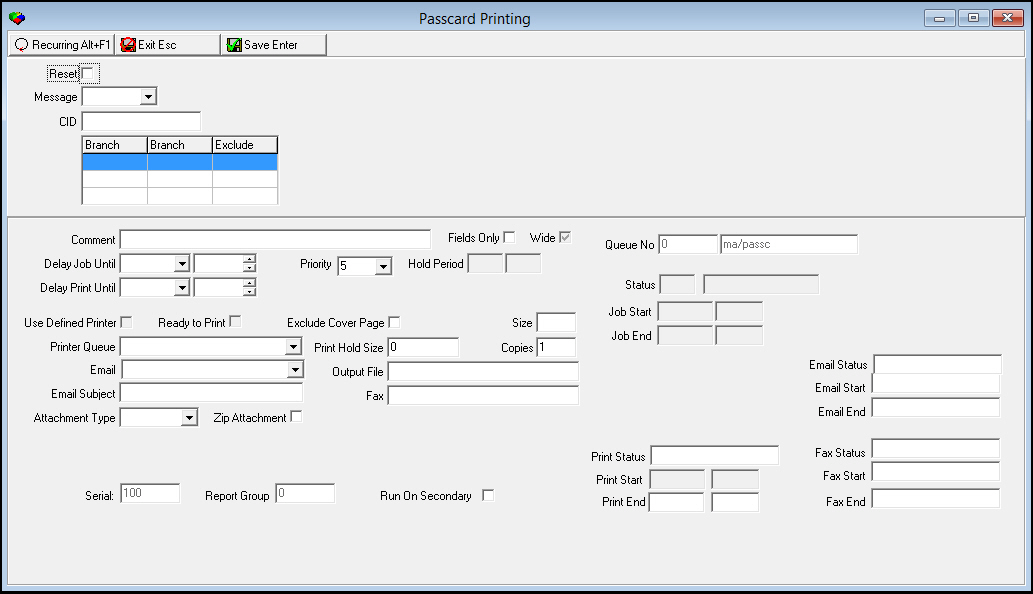
This window contains two panes: use the upper pane to define the content of the report; use the lower pane to define the job output - how, when, and where you want to print the report.
Note: See Report Parameters Pane for information on the fields in the lower pane, which are the same in every report.
Field Descriptions
The following table describes the fields used in the upper pane of the report.
Field |
Description |
Reset |
Enter a check mark in this box to reset the print flag after running this report. |
Message |
You may select a message to print on passcards. Only messages that contain a passcard flag appear in this menu. (This menu originates from program #1766.) |
CID |
Type the specific CID for which you want to print passcards. |
Branch Ranges |
|
Branch |
You may select up to three ranges of branches to limit the report to branches within the ranges. Select the beginning branch number of a range. (These menus originate from program #1530.) |
Branch |
You may select up to three ranges of branches to limit the report to branches within the ranges. Select the ending branch number of a range. (These menus originate from program #1530.) |
Exclude |
You may exclude ranges of branches from the report by selecting the ranges and then entering a check mark in the corresponding Exclude box. |
Running and Viewing a Report
For information on running and viewing a report, see Common Functions in SBN.
Report Example
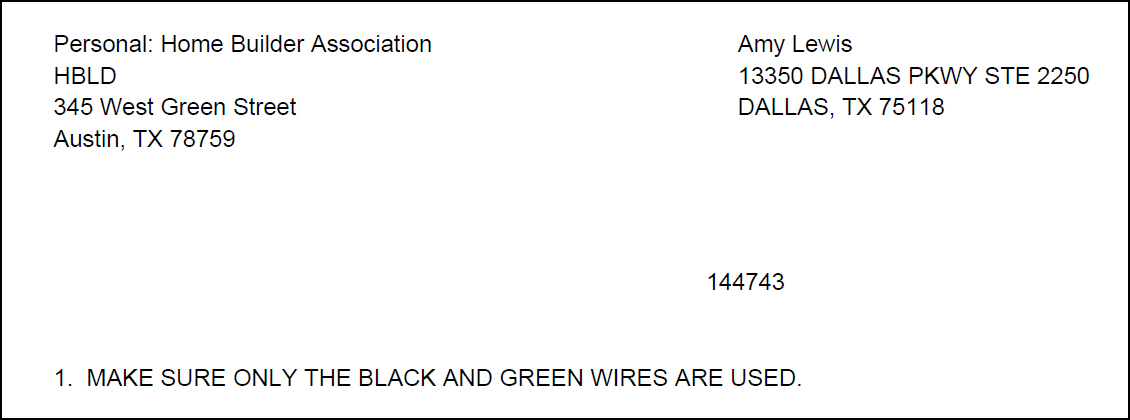
The following graphic shows an example of the output of Passcard Printing.
Column Descriptions
The following table describes the columns used in the output of the report.
Column |
Description |
Personal |
Displays information about the passcard holder: l Name l Address |
(No label) |
Displays information about the installation |
(No label) |
Displays the name and passcard number of the passcard holder. |
(No label) |
Displays the passcard message, if selected as a parameter. |
Button Functions
The following table displays the buttons, describes the shortcut keys, actions, and functionality.
Button |
Name |
Shortcut Key |
Action |
Description |
|
Recurring |
Alt+F1 |
2006 |
Open fields for recurring/template reports. |
|
Exit |
Esc |
2006 |
Exit without saving. |
|
Save |
Enter |
2006 |
Save existing record. |



Modifications and Updates to Passcard Printing
The following table lists modifications and updates to the Passcard Printing document.
Mod Number |
Date |
Description |
n/a |
7/29/14 |
Images updated. |