
Contract Texts
Contract Texts
Contract Texts
Module: Accounting
Overview
Use Contract Texts to enter any additional information about the contract or installation that may be useful. Each time you change texts in this tab, SBN creates an entry in the Contract Change Log.
To access this program, select Contract Master (program #548) from the main menu of SBN and then choose the Contract Texts tab.
The Contract Texts Screen
The following graphic shows the Contract Texts tab with information entered and saved in the fields.
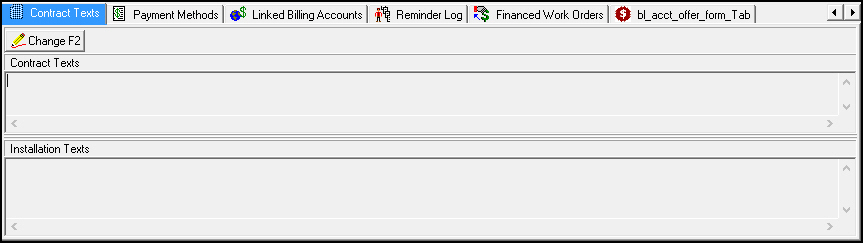
This tab contains only two fields for information about this contract.
Field Descriptions
The following table describes the fields used in this tab.
Field |
Description |
Contract Texts |
Additional comments related to the contract. |
Installation Texts |
Additional comments related to the installation. |
Changing Contract and Installation Text
Use the following steps to change contract and installation text:
1. Choose Change Record.
‰ The fields open for changes.
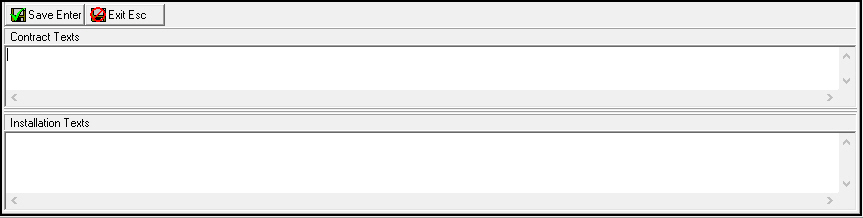
2. Change the text, as needed.
3. Choose Save Existing Record.
Button Functions
The following table displays the buttons, describes the shortcut keys, actions, and functionality.
Button |
Name |
Shortcut Key |
Action |
Description |
|
Change Record |
f2 |
548/186 |
Change details of selected entry. |
|
Exit without saving |
ESC |
Exit without saving changes. |
|
|
Save New Record |
ENTER |
Save existing changes to record. |



Modifications and Updates to Contact Texts
The following table lists modifications and updates to the Contact Text document.
Mod Number |
Date |
Description |
n/a |
8/1/14 |
Images updated. |