
Miscellaneous Communication Fields
Miscellaneous Communication Fields
Miscellaneous Communication Fields
Module: System Administration
Overview
Use Miscellaneous Communication Fields (program #1627) to create and define miscellaneous fields, and menus for these fields, in the Communication Log.
To access this program, select Miscellaneous Communication Fields (program #1627) from the main menu of SBN.
There are 99 Miscellaneous Communication Fields defined by IBS available for users to edit along with their corresponding menu items in the Details tab. If you need a new Miscellaneous Communication Field created, or would like to have one deleted, contact IBS to make the changes.
Any communication information you need that does not exist in the Communication Log can be added in program #1627. Editing a field name and its menu items enables you to more clearly define customer communication or to sort Communication Log entries according to user specified criteria. Initially, the only named field is Satisfaction, but you may change any of the miscellaneous fields as the need arises. Miscellaneous Communication Fields are available to make the Communication Log infinitely flexible to user needs.
The Miscellaneous Communication Fields Window
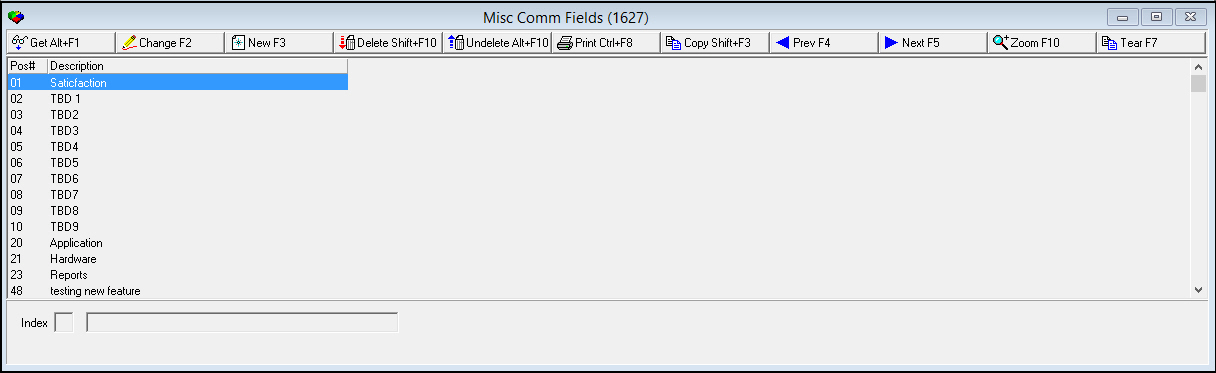
The following graphic shows Miscellaneous Communication Fields as the program opens.
Field/Column Descriptions
The following table describes the fields and columns used in Miscellaneous Communication Fields.
Using Common Functions
See the reference document Common Functions in SBN for more information.
|
Field/Column |
Description |
|
Pos# / Index |
Identifies the indexed placement of the selected field. |
|
Description |
Text description of the selected field. |
Changing the Details of a Communication Field
Use the following steps to change the details of a communication field:
1. Select the field whose details you want to change.
2. Choose Change Record.
The description field opens for changes.
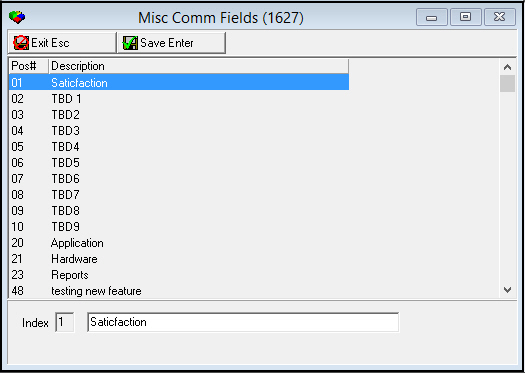
3. Make any necessary changes.
4. Choose Save to save changes and close the fields or Exit to close without saving changes.
Creating a Communication Field
Use the following steps to create a new communication field. (Only IBS is able to create new miscellaneous communication fields.)
1. Choose New Record.
The fields below the grid open to create a communication field.
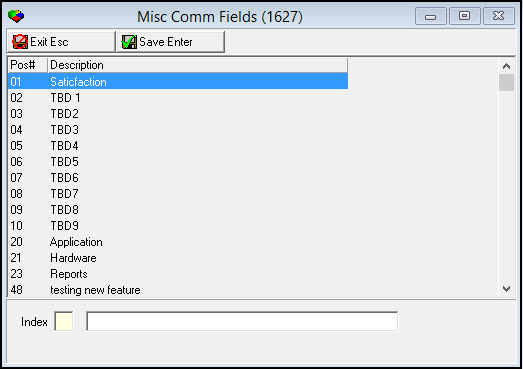
2. Enter new information into the fields.
3. Choose Save to save changes and close the fields or Exit to close without saving changes.
Deleting a Communication Field
Use the following steps to delete a communication field. (Only IBS is able to delete miscellaneous communication fields.)
1. Select the communication field you want to delete.
2. Choose Delete Record.
A Confirm dialogue box appears asking if you want to delete the selected communication field. (The box refers to the communication field by its two-digit index placement number.)
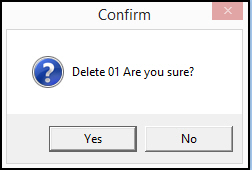
3. Choose Yes to delete the communication field or No to cancel.
Restoring a Deleted Communication Field
Use the following steps to restore (undelete) a deleted miscellaneous communication field. (Only IBS is able to restore deleted miscellaneous communication fields.)
1. Choose Select Record to Undelete.
A list of deleted fields appears.
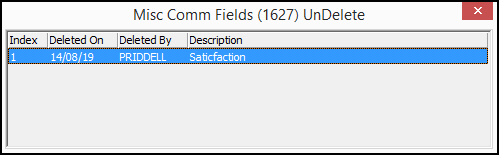
2. Double-click on a deleted field to restore.
The field appears in the main grid of miscellaneous communication fields. (The deleted info for the selected field from the details and translations tabs in sublevel is also restored.)
3. Restore any other fields as necessary.
4. Close the deleted fields list when complete.
Zooming into the Sublevel
Miscellaneous Communication Fields contains a sublevel with two tabs
-
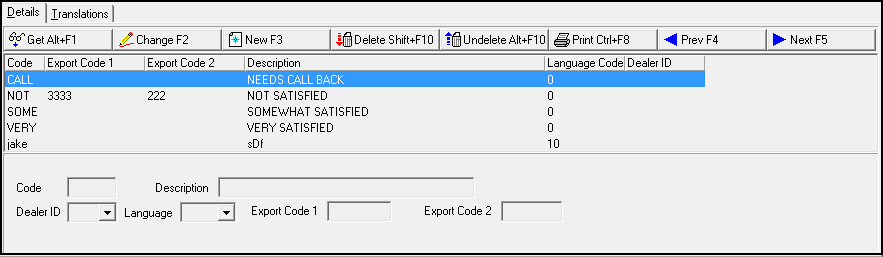
Details — in which you define drop-down menus for miscellaneous communication fields.
-
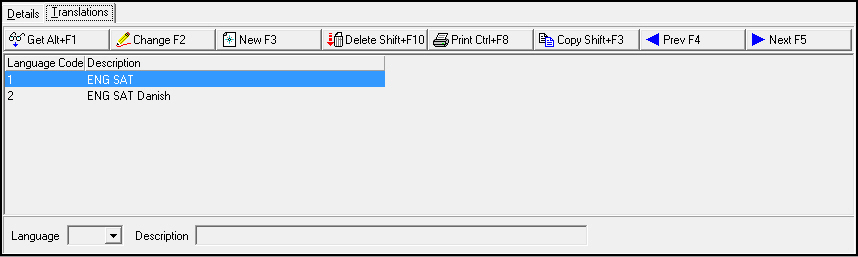
Translations — in which you attach translations to the drop-down menus of miscellaneous communication fields. Menus appear in the user’s language.
Use the following steps to access the sublevel tabs of miscellaneous communication fields:
1. Select the field whose details you want to view.
2. Choose Zoom in/out of sublevel.
The sublevel tabs appear below the main window.
3. Select the Details tab to view menu selections defined for miscellaneous communication fields, or select the Translations tab to view languages defined for miscellaneous communication fields.
The Details Tab
The following graphic shows the Details tab. The tab displays drop-down menu selections for the "Satisfaction" field.
Field/Column Descriptions
The following table describes the fields and columns used in the Details tab.
|
Field/Column |
Description |
|
Code |
Code that identifies the menu item. |
|
Description |
Text description of the menu item. |
|
Dealer ID |
Dealer ID attached to the menu item. |
|
Language |
Code that identifies the language of the translation. O Contact IBS before using codes 11-17. |
|
Export Code 1 |
Customer defined field; no functionality in SBN. |
|
Export Code 2 |
Customer defined field; no functionality in SBN. |
Creating a Menu Item for a Field in the Details Tab
Use the following steps to create a new menu item for a miscellaneous communication field.
1. In the Details tab, choose New Record.
All fields below the grid open to create a menu item.
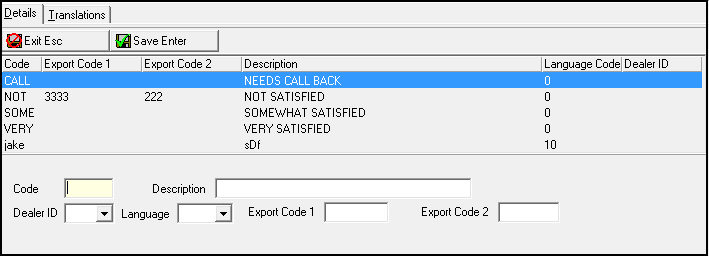
2. Enter new information into the fields.
3. Choose Save to save changes and close the fields or Exit to close without saving changes.
The Translations Tab
The following graphic shows the Translations tab. The tab displays previously defined translations for the selected field.
Field/Column Descriptions
The following table describes the fields and columns used in the Translations tab.
|
Field/Column |
Description |
|
Language Code |
Code that identifies the language of the attached translation. O Contact IBS before using codes 11-17. |
|
Description |
Text description of the language for menu translation. |
Defining a Language in the Translations Tab
Use the following steps to define a language for menu translation for a miscellaneous communication field:
1. In the Translation tab, choose New Record.
All fields below the grid open to define a language.
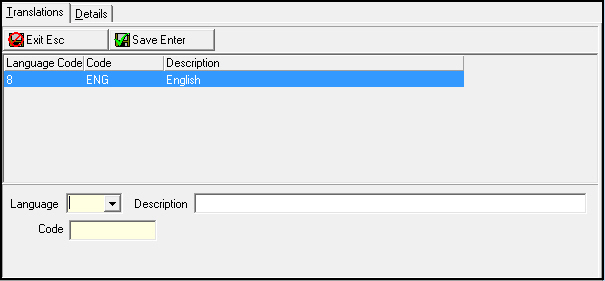
2. Select a language code from the Language drop-down menu.
3. Enter a text description of the language in the Description field.
4. Choose Save to save changes and close the fields or Exit to close without saving changes.
Related Programs
The following table lists programs related to Miscellaneous Communication Fields.
|
Program |
Number |
Document Link |
Description |
|
Communication Log |
1888 |
Log communication between customer and company. |
|
|
Codes |
1517 |
Create Communication Codes used in the Communication Log to describe the type of communication for an entry. |
|
|
Sources |
1518 |
Create Communication Source codes used in the Communication Log to show in what program an entry originated. |
|
|
Keys |
1519 |
Create and define codes and descriptions that appear in the Communication Log as Key 1, Key 2, Key 3, and Key 4. |
|
|
Media |
1520 |
Create Media Codes used in the Communication Log to describe the type of communication media for an entry. |
|
|
Resolution Codes |
1877 |
Create Resolution Codes used in the Communication Log to describe the resolution for an entry. |
|
|
Status Codes |
1721 |
Create Status Codes used in the Communication Log to describe the status of an entry. |
|
|
Communication Log Queue |
535 |
Research closed Communication Log entries. |
Button Functions
The following table displays the buttons, describes the shortcut keys, actions, and functionality.
|
Button |
Name |
Shortcut Key |
Action |
Description |
|
|
Get Record |
ALT+F1 |
1627/ 1 |
Get record. |
|
|
Change Record |
F2 |
1627/ 2 |
Change selected record. |
|
|
New Record |
F3 |
1627/ 3 |
Create new record. (This button is only available to IBS.) |
|
|
Delete Record |
SHIFT+F10 |
1627/ 4 |
Delete selected record. (This button is only available to IBS.) |
|
|
Select Record to Undelete |
alT+F10 |
1627/ 5 |
Restore deleted record. (This button is only available to IBS.) |
|
|
Print Selected Records |
CTRL+F8 |
1627/ 6 |
Print selected records. |
|
|
Copy Current Record |
SHIFT+F3 |
Copy selected record. |
|
|
|
Previous Record |
F4 |
Select last record. |
|
|
|
Next Record |
F5 |
Select next record. |
|
|
|
Zoom In/Out of Sublevel |
F10 |
1627/10 |
Access Details tab and Translations tab. |
|
|
Tear Away Selected Tab |
F7 |
View selected tab in separate window. |
|
|
|
Exit Without Saving |
esc |
Exit without saving changes to record. |
|
|
|
Save Existing Record |
enter |
Save existing changes to record. |













Modifications and Updates to Status Codes
The following table lists modifications and updates to the Status Codes document.
|
Mod Number |
Date |
Description |
|
n/a |
02/22/08 |
document created |
|
08.03.05865 |
06/26/08 |
Number of miscellaneous fields increased from 10 to 50. |
|
08.03.06111 |
08/14/08 |
Number of miscellaneous fields increased from 50 to 99. |
|
n/a |
08/19/14 |
Images updated. |
F1 Help
| Delphi Forms | bafldvali1627form |
| Program Numbers | 1627 |