
Credit Card Expiration Dates Report
Credit Card Expiration Dates Report
Credit Card Expiration Dates Report
Report #: 1902
Module: Accounting
Overview
Use the Credit Card Expiration Dates report to identify those billing accounts with credit cards that expired within a specific date range, and to notify the account holders by email. SBN emails customers using the email addresses defined for their accounts in Contract Master (program #548).
Note: If a customer has no email address defined, SBN sends the email to the default address defined by option mailacc.
To access this report, select Credit Card Expiration Dates (report #1902) from the main menu of SBN.
Credit Card Expiration Dates Report Options
Three options determine various parts of the report content. For detailed information about each option and its default settings, see Options M.
Option mailacc - defines the default email address to which SBN sends Credit Card Expiration emails when customers have no email addresses defined in Contract Master (program #548).
Note: SBN attempts to send the email to a customer's primary email address in the Contract Master Billing Account pane, then to the secondary address, and finally to the third address. If all three email fields are blank, SBN sends the email to the address defined by option mailacc.
Option maillink - defines the web address link to include in Credit Card Expiration emails
Option mailsign - defines the signature to include in Credit Card Expiration emails
The Credit Card Expiration Dates Report
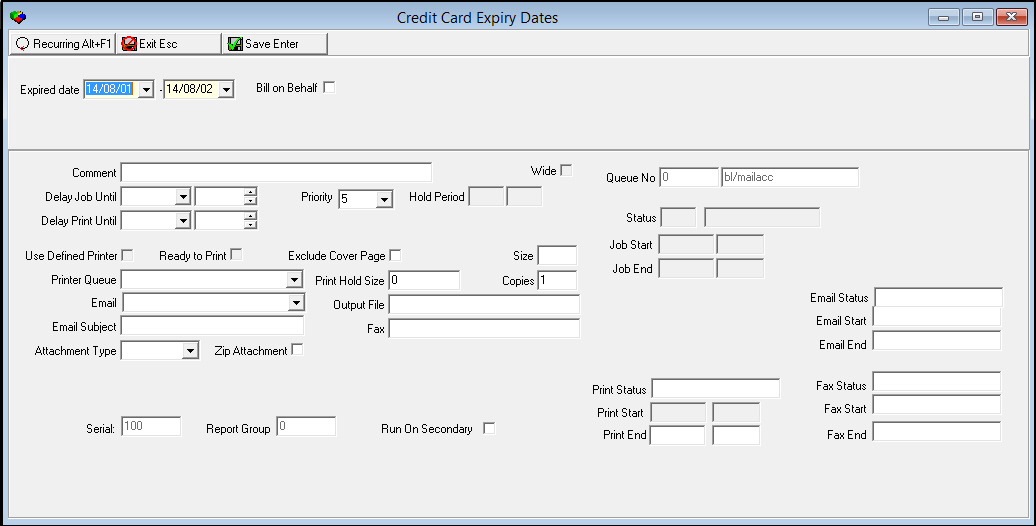
This window contains two panes: use the upper pane to define the content of the report; use the lower pane to define the job output - how, when, and where you want to print the report.
Note: See Report Parameters Pane for information on the fields in the lower pane, which are the same in every report.
Field Descriptions
The following table describes the fields in the upper pane of the Credit Card Expiration Dates report.
Field |
Description |
Expired Date - From |
You may select a range of dates to limit the report to accounts with credit cards that expired during the selected range. Select the beginning date of the range. |
Expired Date - To (No label) |
You may select a range of dates to limit the report to accounts with credit cards that expired during the selected range. Select the ending date of the range. |
Bill on Behalf |
Select this check box to include Bill on Behalf accounts in the report. Leave this check box blank to exclude Bill on Behalf accounts from the report. |
Running and Viewing a Report
For information on running and viewing a report, see Common Functions in SBN.
Report Example
The following graphic shows an example of the Credit Card Expiration Dates report output.
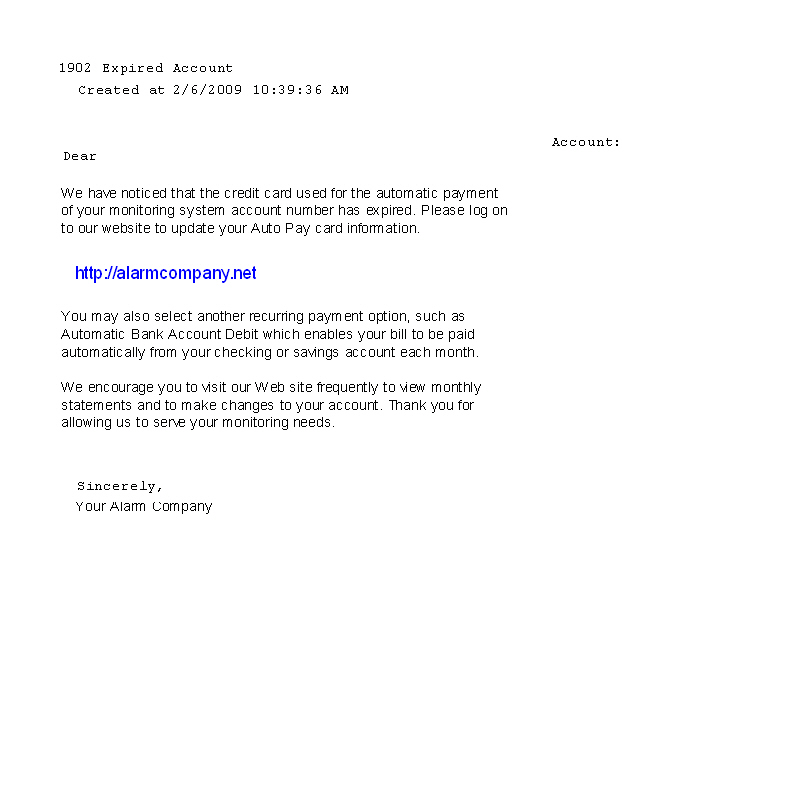
Change the email text according to your preferences in Report Messages (program #1766) under message ID UB_MAILACC.
Button Functions
The following table displays the buttons, describes the shortcut keys, actions, and functionality.
Button |
Name |
Shortcut Key |
Action |
Description |
|
Open fields for recurring/template reports |
alt+f1 |
Open fields for recurring/template reports. |
|
|
Exit without saving |
esc |
Exit without saving changes to report parameters. |
|
|
Save Existing Record |
enter |
Save changes to report parameters; generate the report. |



Modifications and Updates to Credit Card Expiration Dates Report
The following table lists modifications and updates to the Credit Card Expiration Dates Report document.
Mod Number |
Date |
Description |
n/a |
8/1/14 |
Images updated. |