
Dialer Prefix
The Dialer Prefix is the outside-line / long-distance prefix SBN adds to outbound calls; how to set it and how it is stored in the Windows Registry.
Dialer Prefix
The Dialer Prefix is the digit or digits SBN adds to the front of every number it dials, so calls reach an outside line and, when needed, the long-distance network.
For example, a Dialer Prefix of 9 seizes an outside line, and 91 seizes an outside line and adds the long-distance 1. With a Dialer Prefix of 91, a stored number such as 555-555-1212 is sent to the specified dialer as 915555551212.
The Dialer Prefix applies to all outbound calls.
Setting the Dialer Prefix
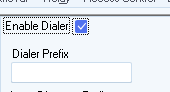
Choose View > Options, select the Communications tab, enable the Dialer, type the value in the Dialer Prefix field, and choose Apply.
Where the Dialer Prefix is stored
The Dialer Prefix is stored per workstation in the Windows Registry. The Dialer Properties Acquired From setting controls where it is read and saved:
- HKEY_LOCAL_MACHINE - applies to every Windows user on that workstation.
- HKEY_CURRENT_USER - applies only to the logged-in Windows user.
Note: Saving to HKEY_LOCAL_MACHINE requires Windows administrator rights on the workstation. If SBN runs without administrator rights and the Dialer Prefix does not persist after a restart, set Dialer Properties Acquired From to HKEY_CURRENT_USER, which any user can save.
Related
The Dialer Prefix is separate from the Long Distance Prefix and Local Area Codes, which determine when the long-distance prefix is added to a number.
For the full Communications and Dialer setup, see SBN Client Options.