
Service Problem Codes
Program #: 1522
Module: System Administration
Overview
Use Service Problem Codes (program #1522) to define and maintain service problem codes. Menus of Service Problem Codes appear in the Service Log tab of Data Entry (program #559) and in several other programs throughout SBN.
To access this program, select Service Problem Codes (program #1522) from the main menu of SBN.
The Service Problem Codes Window
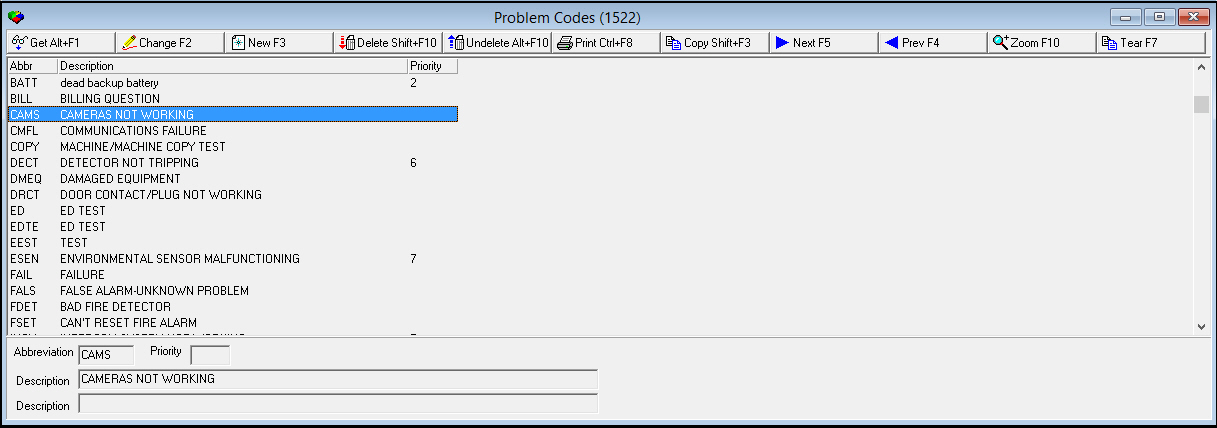
The following graphic shows Service Problem Codes as the program opens. The upper pane displays previously defined service problem codes.
Field/Column Descriptions
The following table describes the fields and columns used in the main window of Service Problem Codes.
Field/Column |
Description |
Abbreviation |
Abbreviation that identifies the selected service problem code. |
Priority |
Priority of problem. O If option sv044 is on, the priority of service requests defaults to the highest priority problem code in the service request. |
Description |
Text description of the selected service problem code. |
Using Common Functions
See the reference document Common Functions in SBN for more information.
Zooming into the Sublevel
The Service Problem Codes program contains two sublevel tabs:
The Problem Codes Details tab - in which you can link a selected service problem code to a list of service call types when option ba122 is on. You can improve the efficiency of the Customer Service module by carefully linking service problem codes with service call types.
The Translations tab - in which you can attach multiple translations to service problem codes. The service problem codes then appear in SBN in the user’s language.
The Problem Codes Details Tab
When option ba122 is on, use the Problem Codes Details tab to in link a selected service problem code to a list of service call types.
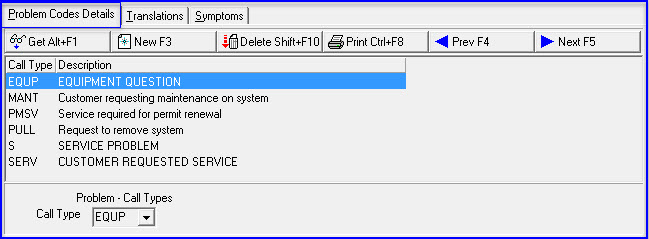
The following graphic shows the Problem Codes Details tab as you zoom into the sublevel.
Field/Column Descriptions
The following table describes the fields and columns used in the Problem Codes Details tab.
Field/Column |
Description |
Call Type |
Abbreviation that identifies service call type linked to the selected service problem code. |
Description |
Text description of the selected service call type. |
Call Type |
You may select a service call type to link to the selected service problem code. (This menu originates from program #1524.) O You may link more than one service call type to a service problem code. Choose Save Existing Record after you select each type of service call. |
The Translations Tab
Use the Translations tab to attach multiple translations to service problem codes. The service problem codes then appear in SBN in the user’s language.
Note: Actions 1522/20-24 control access to the Translations tab and functions.
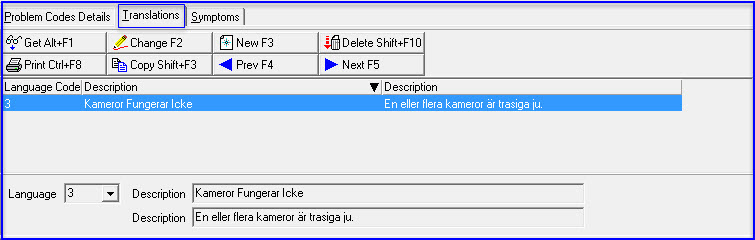
The following graphic displays the Translations tab. The tab displays previously defined translations of service problem codes.
Field/Column Descriptions
The following table describes the fields and columns used in the Translations tab.
Field/Column |
Description |
Language Code |
Code that identifies the language of the associated translation. O Contact IBS before using language codes 11-17. |
Description |
Text description, in the associated language, of the selected service problem code. |
Description |
Additional text description, in the associated language, of the selected service problem. |
The Symptoms Tab
Use the Symptoms tab to link symptoms codes to the problem code entered on the service call.
This sends the technician an indication of the type of problem on the service call. The indication (symptom) would be chosen via a drop-down list.
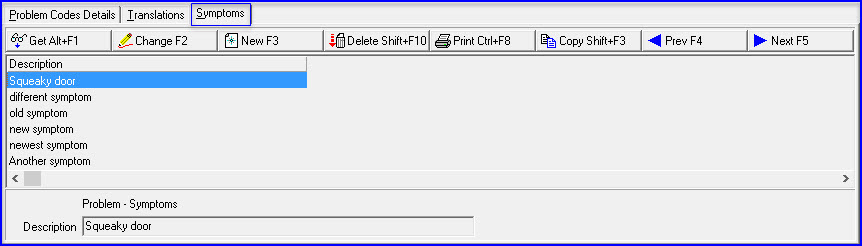
The following graphic displays the Symptoms tab. The tab displays the drop-down list of the symptoms that are linked to the Problem Code.
Field/Column Descriptions
The following table describes the fields and columns used in the Symptons tab.
Field/Column |
Description |
Description |
Text description holds up to 25 characters, and the symptoms are based on the problem code entered. |
Button Functions
The following table displays the buttons, describes the shortcut keys, actions, and functionality.
Button |
Name |
Shortcut Key |
Action |
Description |
|
Get |
ALT+F1 |
1522/ 1 |
Get record. |
|
Change |
F2 |
1522/ 2 |
Change selected record. |
|
New |
F3 |
152/ 3 |
Create new record. |
|
Delete |
SHIFT+F10 |
15221/ 4 |
Delete selected record. |
|
Undelete |
ALT+F10 |
1522/ 5 |
Restore deleted record. |
|
CTRL+F8 |
1522/ 6 |
Print selected records. |
|
|
Copy |
SHIFT+F3 |
1522/ 999 |
Copy selected field. |
|
Zoom |
F10 |
1522/ 999 |
Zoom in/out of sublevel. |
|
Tear |
F7 |
1522/ 999 |
Display Language code for translations. |
|
Previous |
F4 |
1522/ 999 |
Select last record. |
|
Next |
F5 |
1522/ 999 |
Select next record. |











Modifications and Updates to Service Problem Codes
The following table lists modifications and updates to the Service Problem Codes document.
Mod Number |
Date |
Description |
n/a |
8/25/14 |
Images updated. |
07.82.24082, 07.82.34081. 07.82.24074, 07.82.24073. 07.82.24070, 08.82.10091 |
04/27/15 |
SBN to link to a new Cognito solution |
|
|
|